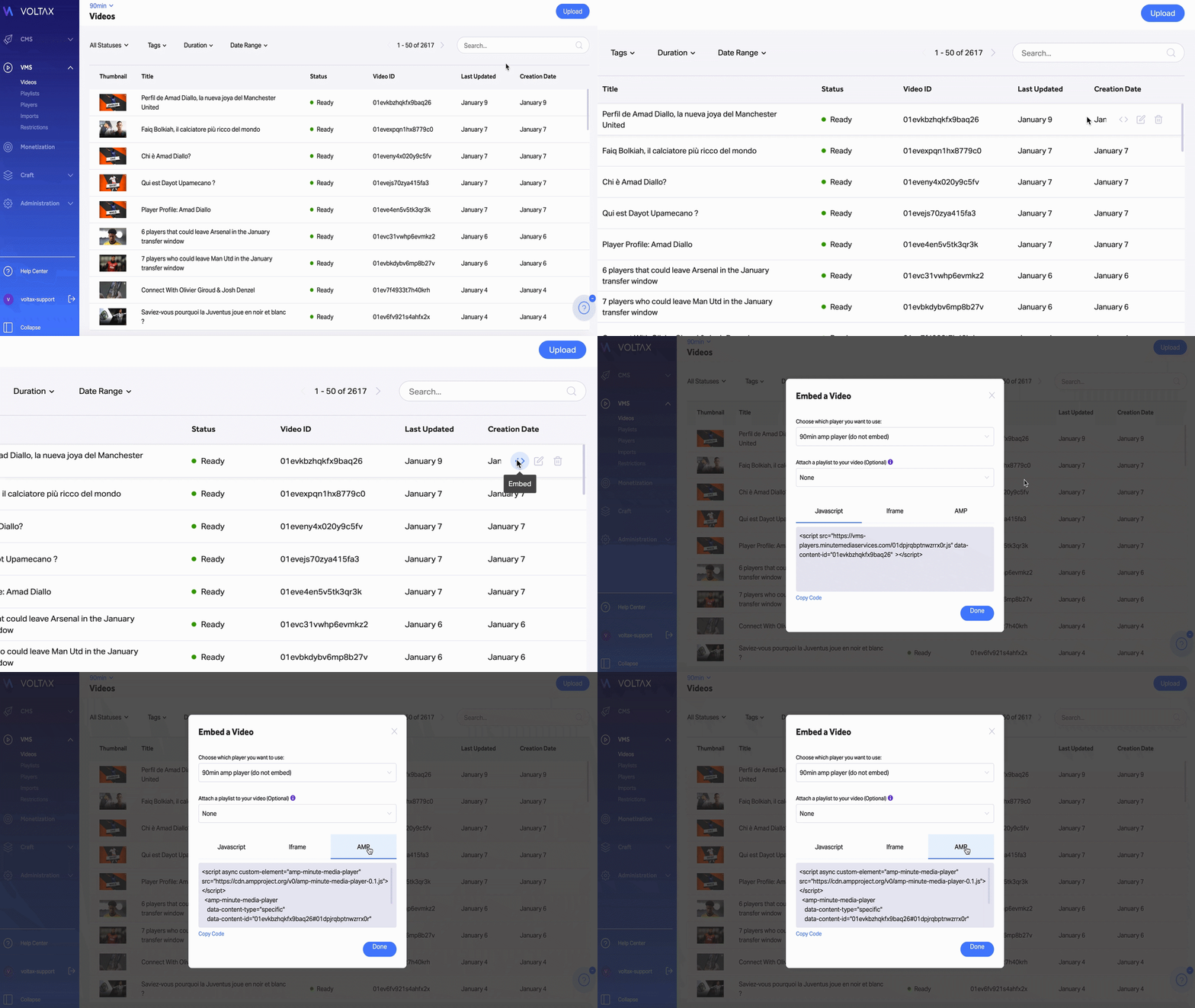
In order to embed an AMP player, follow these steps:
- In the “Video/Playlist” screen, choose the player that you want to embed in your AMP pages and click on the embed icon on the right.
- In the “Choose Which Player You Want to Use” dropdown, choose “AMP Player.”
- Copy the AMP code from the column on the right.
- Embed it in the desired destination.
*Note: On AMP, you cannot use any viewability method (i.e. anchoring, sticky, etc.).