Behavior: After setting up a recirculation video with our third-party solution (via your account manager), you will have the option to redirect users to more engaging content on your site by including an interactive ‘Read More’ button overlayed on the video. The ‘Read More’ button is programmed to give users the ability to go directly to the article they are previewing in the video. When clicked, the user’s web browser will open a new tab with the corresponding article while still playing the recirculation video in the background.
Functionality: The recirculation video is generated from an RSS feed (XML for lists of posts). Each video scene will include the post’s thumbnail and the post’s title with added animation.
The third-party creates the custom parameters to follow these key-value rules:
key : video_url_<scene final second>
Value: URL (usually the URL for the post shown in the scene)
The ‘Read More’ button should only be shown when the custom parameters have the keys with the rules mentioned above.
Note: The custom parameters are synchronized with the tail-end timestamp of each URL. For example: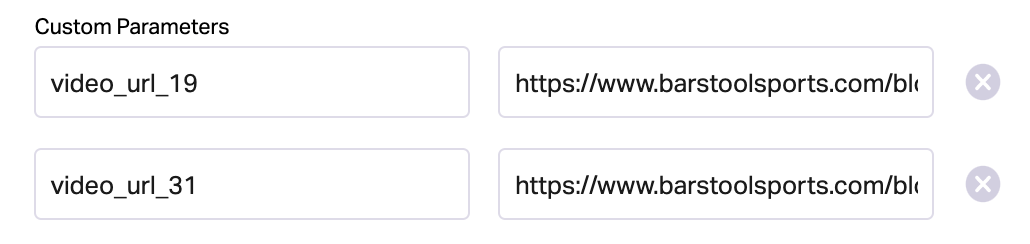
The first URL would be linked to the ‘Read More’ button from 0-19 seconds, and the second URL would be linked from 20-31 seconds.
In most cases, the third-party will take care of the Custom Parameters, and the videos will function as intended. If you notice that the ‘Read More’ button isn’t correctly corresponding to the URL in the Custom Parameters, double-check that the URL is aligned with the tail-end timestamp. If the Custom Parameters are set with the beginning timestamp, the articles will always be one unit away from the intended video scene.
Additional Things to Keep in Mind:
- The GA analytics event needs to be created with the name: ‘Recirculation-Click’
- The ‘Read More’ button will always be visible and clickable, regardless of the user’s behavior
- Minute Media only handles the RSS feed given to the third-party, most issues will need to be handled by the third-party