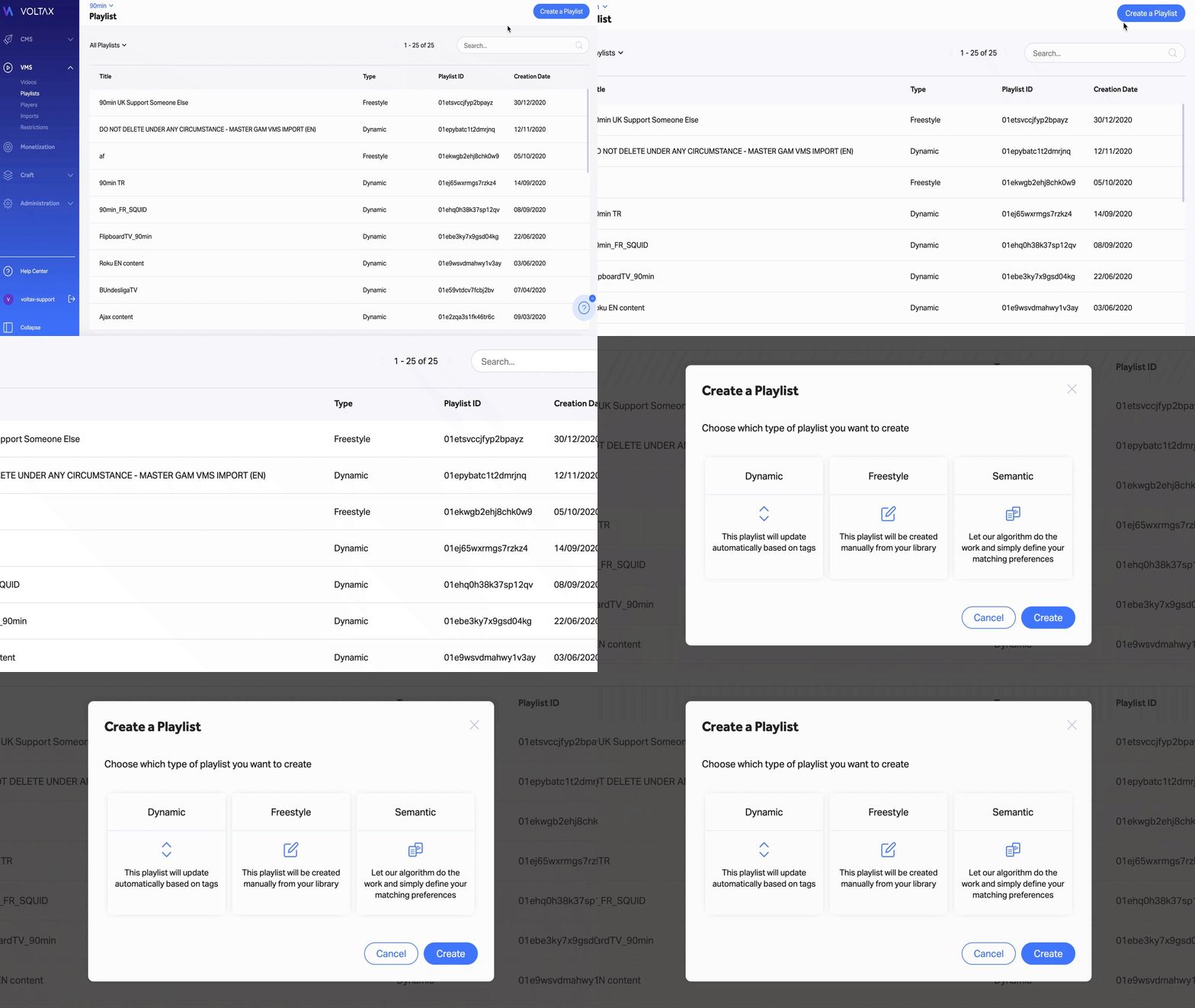
1. When in the ‘Playlists’ section, ensure you are on the property that you wish to create the playlist on
2. In the upper-right corner, click on the ‘Create a Playlist’ button
3. Select the ‘Semantic’ option, followed by the ‘Create’ button
Note: To properly create and save the playlist, you will need to give it a title.
4. Enter your Preferred Tags
By adding preferred tags, you increase the likelihood of videos containing those tags being chosen by the matching algorithm.
5. Enter your Exclusive Tags
By adding exclusive tags, you make sure only videos containing those tags will be chosen by the matching algorithm.
6. Define your ideal date range to further refine the algorithm
7. Choose which HTML elements are scanned by the semantic matching engine in the ‘Scanned Element’ section.
8. Click the ‘Create’ button in the top right corner to save your playlist